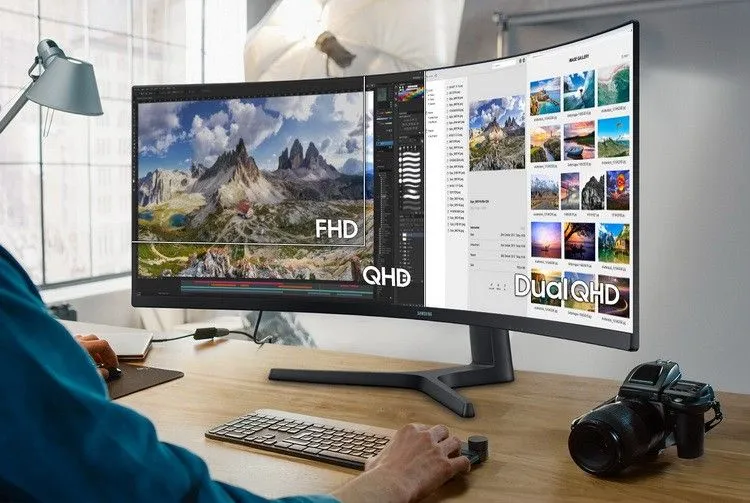

Best Monitor Arm Australia 2026: Single, Dual and Ultrawide
Best monitor arm Australia guide: match weight, VESA and desk clamp, compare gas vs mechanical springs, and choose single, dual or ultrawide arms.

Emma Thompson
Family Budget & Lifestyle Writer

Quick answer: the best monitor arm in Australia is the one rated for your monitor's real weight with some headroom, that fits its VESA pattern and clamps securely to your desk. For a single 24 to 27 inch screen, a single gas-spring or mechanical-spring arm is the right buy. If you want a proven benchmark with a long warranty, the Ergotron LX is rated for 3.2 to 11.3 kg, screens up to 34 inches and carries a 10-year warranty. Two screens call for a dual arm, and 34 to 49 inch ultrawides need a heavy-duty arm rated for the extra weight.
This guide is for Australians setting up or upgrading a home or work desk, including during the Black Friday and Christmas sales. WhatsCheap has not tested these arms ourselves. Specifications come from the Ergotron LX specification sheet, Australian mounting maker Atdec's gas vs mechanical spring guide and BenQ's monitor arm buying guide, checked on 23 November 2026. Monitor arm prices change often, so compare current Amazon Australia listings before you buy.
Best monitor arm types compared
Arm type | Best for | What to check | Watch out for |
|---|---|---|---|
Single gas-spring arm | One 24 to 32 inch monitor on a home or work desk | Rated weight range, VESA 75 or 100, clamp thickness | Gas cylinder warranty may be shorter than the arm's |
Single mechanical-spring arm | Shared or office desks, set-and-forget setups | Tension adjustment, weight range, warranty | Can feel firmer to move than gas springs |
Dual monitor arm | Two matching screens side by side | Per-arm weight rating, total desk footprint | Both screens should suit the same weight range |
Heavy-duty ultrawide arm | 34 to 49 inch curved and ultrawide monitors | Higher weight rating, minimum weight, VESA adapter | Light screens can float upward on a strong spring |
Ergotron LX (premium single) | Buyers who want a long warranty and long reach | 3.2 to 11.3 kg, up to 34 inches, 10-year warranty | Monitors over 9.1 kg reduce its height range |
Ergotron LX: the premium single-arm benchmark
The Ergotron LX desk mount (part 45-241-026) is often described as the benchmark in competing guides, and its official specification sheet explains why it is easy to recommend. Ergotron lists a weight capacity of 3.2 to 11.3 kg, 33 cm of lift, up to 64 cm of extension, 360 degree pan and rotation, and support for 75 x 75 and 100 x 100 VESA patterns. The 45-241-026 kit includes both a two-piece desk clamp and a grommet mount, and Ergotron backs it with a 10-year warranty.
Buy it if: you have one monitor up to about 34 inches and want an arm you are unlikely to replace for years.
Think twice if: your monitor is near the top of the weight range. Ergotron notes that monitors over 9.1 kg can reduce the vertical range to 22 cm, and monitors deeper than 8.9 cm may reduce capacity.
Watch out for: listings for similar-looking LX variants. Check the part number, colour and what is in the box, because some versions ship without the grommet mount.
Budget single monitor arms: what to check
Amazon Australia has many low-cost single arms from brands such as HUANUO, NB North Bayou, ErGear and WALI. They can work well, but the spec sheet matters more than the brand. Before you buy, confirm the minimum and maximum weight, the VESA pattern, the desk thickness the clamp accepts and the warranty on the gas spring itself. Atdec warns that some manufacturers offer a 5-year warranty on the arm but only 1 or 2 years on the gas canister.
Leave headroom: BenQ recommends keeping 1 to 2 kg of margin from both ends of an arm's weight range, because spring arms perform poorly close to their limits.
Count accessories: a monitor light bar or webcam adds weight. BenQ estimates around 300 to 500 g for common add-ons.
Read the reviews for sag: if several owners mention screens drifting down, check whether they were near the top of the weight rating.
Gas spring vs mechanical spring monitor arms
Both types use a spring and a tension adjustment screw to balance the screen. BenQ says that as long as the monitor is within the supported range, both give smooth adjustment and comparable durability. Australian mounting maker Atdec draws a sharper line: gas springs give the smoothest one-finger movement and suit heavy monitors, but gas pressure can be affected by temperature changes and may drop over long periods. Mechanical spring arms cover broader weight ranges and are less sensitive to temperature, which is why Atdec recommends them for most office desks with monitors up to 10 kg.
Atdec's own Ora 10 mechanical arm, for example, is rated for 3 to 10 kg and flat or curved screens up to 49 inches. Its heavy-duty gas spring arm (AWM-AHX) needs a monitor of at least 6 kg and handles up to 16 kg, a good illustration of why a strong arm is not automatically better for a light screen.
Dual monitor arms
A dual arm clamps once and holds two screens side by side, which frees the most desk space. Check the per-arm weight rating rather than a combined figure, and make sure both monitors sit comfortably inside that range. Two different monitors are fine if each one fits its arm's range. If you are still choosing screens, see our gaming monitor guide or our portable monitor guide.
Heavy-duty arms for ultrawide and curved monitors
Large ultrawide and curved monitors are heavier and carry their weight further forward. BenQ suggests adding a 2 to 3 kg buffer for curved monitors when you work out the load, and notes that some large gaming monitors, such as the Samsung Odyssey G9, use a non-standard VESA design that needs an adapter plate. Pick a heavy-duty arm whose rated range starts below your monitor's weight and finishes well above it, and confirm the adapter is included or available before you order.
Monitor arm buying checklist for Australian desks
Weigh the screen, not the stand: find your monitor's weight without its stand on the manufacturer's spec page, then add accessories and any curved-screen buffer.
Check VESA: most monitors use 75 x 75 or 100 x 100 mm holes. If your monitor has no VESA holes and only a built-in stand, BenQ notes it cannot be mounted to a standard arm.
Measure your desk: BenQ recommends at least 5 cm between the back edge of the desk and the wall for clamp mounting, and warns that rounded or bevelled edges over 2.5 cm can reduce clamp stability.
Clamp or grommet: use a grommet mount through an existing cable hole if the desk is against a wall. Do not drill or clamp fragile tops such as glass, and check the clamp's supported desk thickness.
Plan the cables: cables need enough slack to follow the arm through its full movement. Most arms route 3 to 4 cables. A USB-C hub can reduce how many you run to a laptop.
Check the warranty and your rights: compare the warranty on the arm and on the gas spring. Manufacturer warranties sit alongside your automatic consumer guarantees under Australian Consumer Law.
Is a monitor arm worth it?
For most desk workers, yes. A monitor arm lets you set the top of the screen near eye level, push it back when you need desk space, and swing it aside at the end of the day. It pairs well with a sit-stand desk or an ergonomic office chair, because you can re-position the screen whenever your posture changes. If you never adjust your screen and your monitor's stand already reaches a comfortable height, a simple monitor riser may be enough.
FAQ
What is the best monitor arm in Australia?
The best monitor arm is one rated for your monitor's weight with 1 to 2 kg of headroom at each end, that matches its VESA pattern and fits your desk. The Ergotron LX is a strong premium choice for one screen up to 34 inches, with a 3.2 to 11.3 kg range and a 10-year warranty.
Are cheap monitor arms on Amazon any good?
Many are fine for a typical 24 or 27 inch monitor if the rated weight range suits your screen. Check the minimum and maximum weight, the VESA pattern, the clamp range and the warranty on the gas spring. Reviews mentioning sag are worth reading closely before you buy.
Is a gas spring or mechanical spring monitor arm better?
Gas springs usually feel smoother and suit heavy monitors. Mechanical springs cover wider weight ranges and are less affected by temperature. Within the supported weight range, both work well, so choose based on your monitor's weight and the warranty.
Will a monitor arm fit my monitor?
It will if your monitor has 75 x 75 or 100 x 100 mm VESA holes and its weight, without the stand, falls inside the arm's rated range. Large curved or gaming monitors may need an adapter plate, so check the manufacturer's mounting information first.
Bottom line
Start with your monitor's weight and VESA pattern, then choose the arm type. Buy a single gas-spring or mechanical arm for one standard monitor, the Ergotron LX if you want a premium arm with a 10-year warranty, a dual arm for two matching screens, and a heavy-duty arm for ultrawides. Compare current Amazon Australia listings below, and check the rated weight range, clamp size and warranty before you pay.
WhatsCheap may earn a commission from qualifying Amazon purchases at no extra cost to you. Cover image: AI-generated illustration of an unbranded monitor arm in a home office, not a specific product.